

The Librarian can view all the books currently on loan (including those loans that have gone overdue!) from the Current Loans page. They can also issue loan reminders to library users from this page.
On reminders, Librarian customers only have the option to generate letters or registration/custom group lists. Librarian+ customers and Librarian customers who have paid for the email add-on can also email library users from this page.
Read the Customer Help Guide on Current Loans.
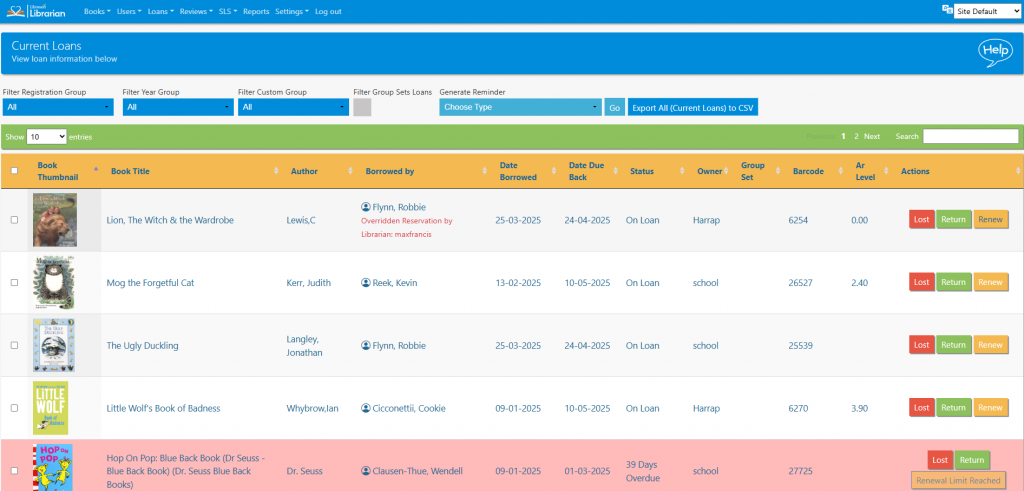
The list can be sorted by clicking on the column headings, filtered by registration group or searched in the normal way.
Any book can be marked as lost by clicking the Lost button.
Any book can be returned by clicking the Return button.
Any book loan can be renewed by clicking the Renew button (number of book renewals must be set in Library Settings).
Reminder letters for parent and registration groups can be generated by clicking the appropriate buttons.

Tasks
- Renew a book
- Mark a book as lost
- Generate reminder letters for a single registration group
- Print a registration group list of loans for a single registration group
- Export the current loans from the system