

Librarians can view the loans of an individual library user from the View a User’s Loans page. Librarians will also be able to see user recommendations on this page.
Read the Customer Help Guide on Viewing a User’s Loans.
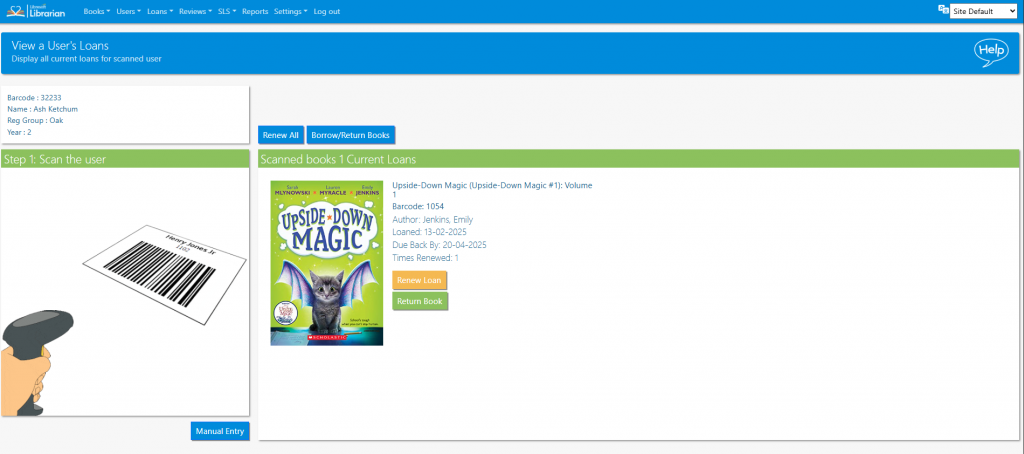
- Scan the user barcode (or use the Search or Select Manually features – Secondary schools only)
- The books currently on loan are displayed
- Loans can be renewed by clicking the corresponding Renew button (number of book renewals must be set in the Library Settings)
Tasks
- View the current loans for one student
- Renew one of the books on loan to an individual student
- Renew all of the books on loan to an individual student in one click
- Issue a book to a student from the View a User’s Loans page
- Issue books to students and see how this changes the recommendations
- Where else in the system can you view an individual user’s loans? Find that place and view the loans for the same student. How is this page different?