

Library users can leave reviews about the books they have read. Reviews can be seen by all library users provided they have first been approved by the librarian!
Read the Customer Help Guides on Reviews
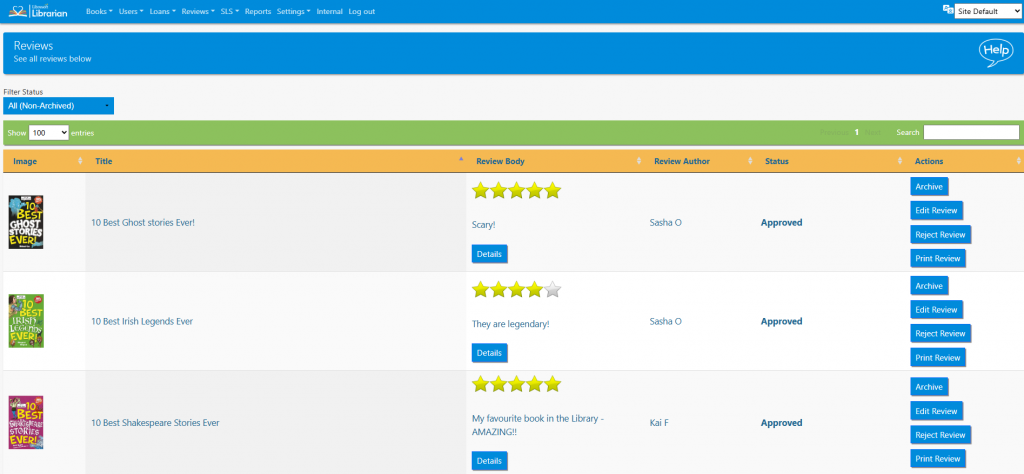
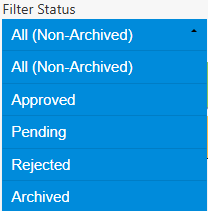
The list can be sorted by clicking on the column headings, filtered by status or searched in the normal way.
Click the Archive button to hide a review. To see archived reviews change the Only Show menu to Archived. It is possible to Undo Archive.
To edit a review click the Edit Review button. Make the relevant changes then select Submit Review.
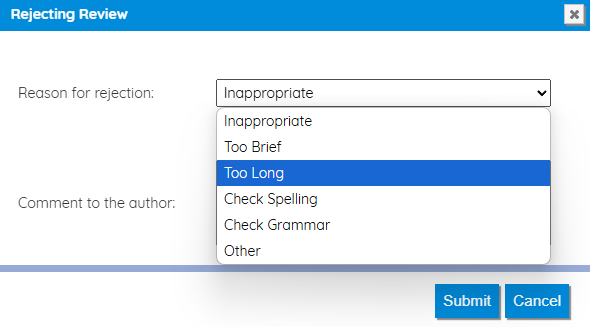
To reject a review click the Reject Review button and choose a reason for the rejection. The author of the review will see the rejection and will be able to resubmit.
Tasks
- Log in as a student and leave at least three book reviews. Log out
- Log in as a Librarian
- Edit an existing review
- Archive a review
- View all the archived reviews