

Librarians can see Overdue Loans specifically by going to the Overdue Loans page.
Read the Customer Help Guide on Overdue Loans.
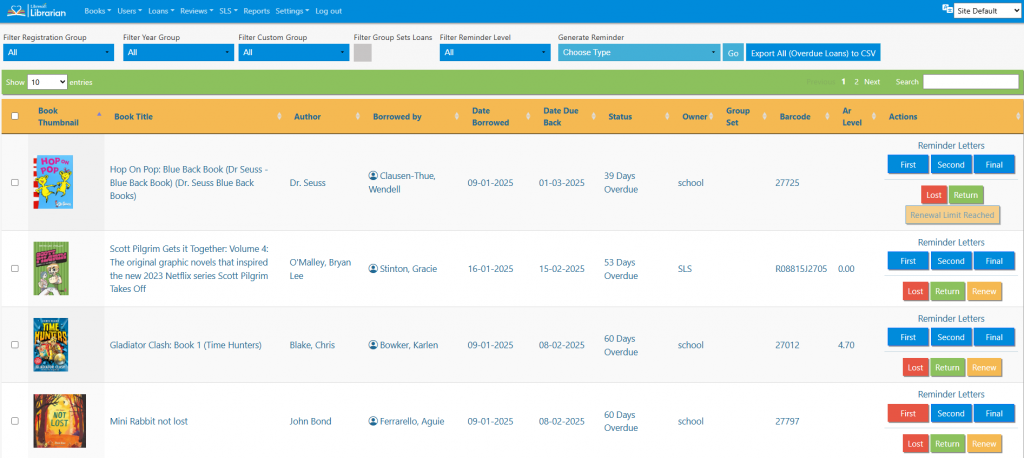
The list can be sorted by clicking on the column headings, filtered by registration group, year group, custom group or reminder level, and searched in the normal way.
Reminder letters for parent and registration groups can be generated by clicking the appropriate buttons.

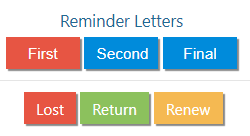
Individual reminder letters can be printed by clicking the appropriate buttons to the right of the book record. As letters are printed, the buttons are re-coloured to show progression through the reminder system. Books can also be marked as lost, returned or the loan renewed (number of books renewals must be set in the library settings) by clicking the appropriate buttons.
Tasks
- Filter the list to only show first reminder loans for one registration group
- Print a first reminder letter to the student
- Print a final reminder letter for one overdue loan
- Renew a loan for a library user. How does it affect this page?
- See if you might be able to work out why the Renew button is sometimes missing